
Choose the pace
In Calls, select the relevant list.
Click Strategy.
Choose the number used to call if several numbers are available.
Set Parallel calls from 1 up to your workspace’s allowed limit (3 by default).
Enable Automatically continue if Ubic should keep going without another action from you.
Check the transcription language, then click Save.
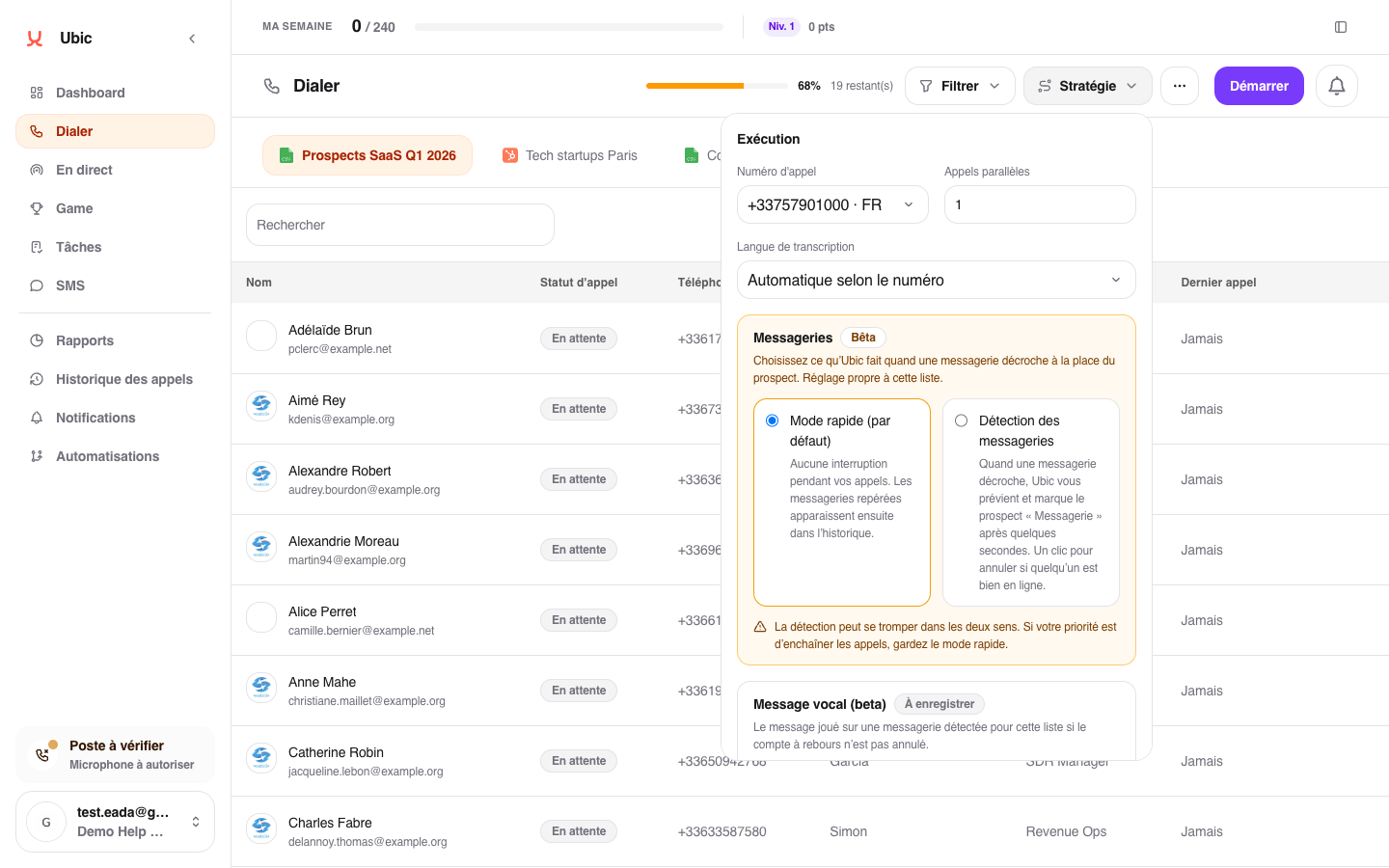
Choose 1 for a simple, controlled pace. Choose 2 or 3 when you want to reach a conversation faster on a large list. As soon as someone answers, Ubic releases the other lines.
Good to know
AI brief during the conversation
Key information provides a calling angle and sourced information during conversations. An up-to-date brief is reused; new preparation starts only after connecting with the prospect. The sales rep can keep talking while it is being prepared.
An administrator can configure the list’s commercial context. To read sources or find the brief after the call, see Use Key information during a call.
The setting applies only to the selected list. Stop any active session before changing it. Voicemail detection and voicemail message options are available in the same window.
Ubic lines use a stable label, such as Number 🇫🇷 #12345678. You can use the same label to recognize a line in your profile and SMS conversations.