
Watch the 28-second AI brief demo. This example uses fictional data.
During the conversation
Start your calls from the relevant list.
When the prospect answers, open Key information in the call window.
Read the suggested angle, then the points About the prospect or About the company.
Open the sources to verify a point before using it.
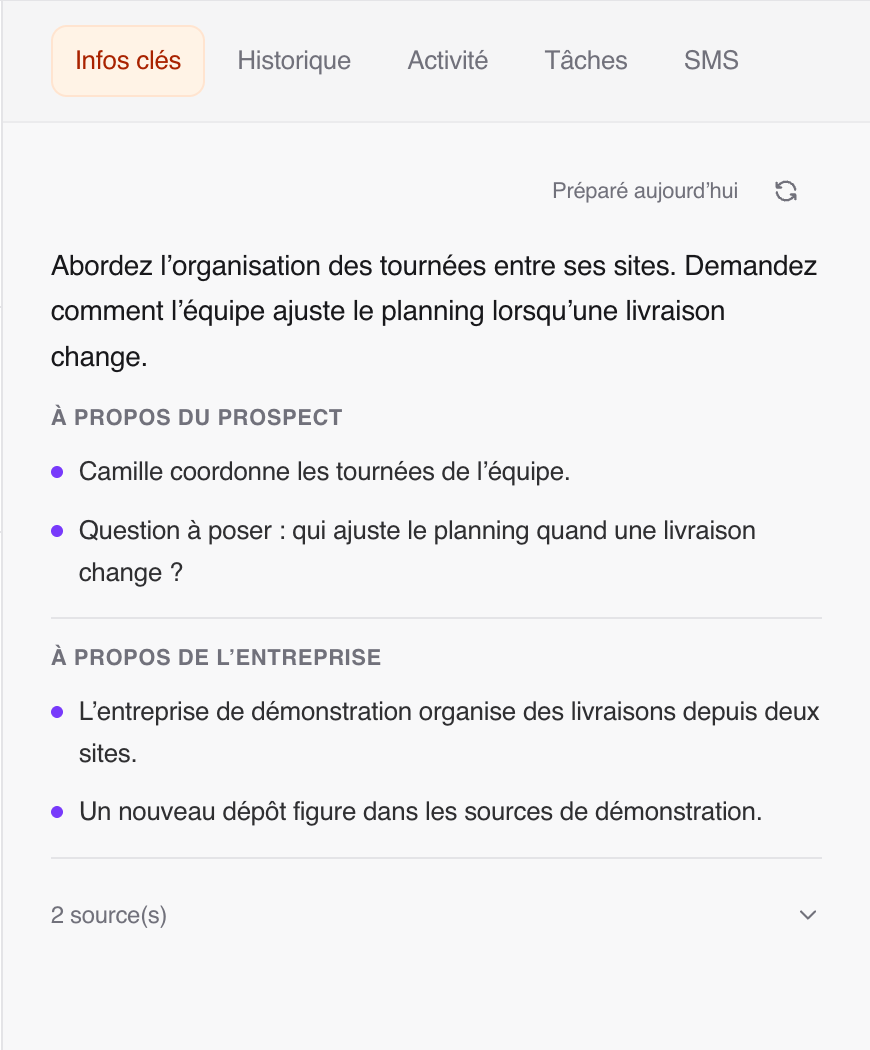
An up-to-date brief appears directly. Otherwise, preparation starts during the connected call. Brief in progress means Ubic is working on the result, which will appear in the same tab when it is ready; you can keep talking while you wait. An unanswered call does not trigger a new brief. Identified voicemail is excluded, although detection is not perfect.
If Key information is missing, ask your administrator to configure the list’s commercial context. This context lets Ubic tailor the brief to your offer and call objective.
Find the brief after the call
Open the prospect details, then Key information. Viewing it does not start new research or use a credit. If preparation had already started when the call ended, the brief may finish and become available in those details.
A brief stays up to date for 30 days. After that, you can still read it and its sources, with a notice that it has expired. An update is prepared during the next connected call. While it is being prepared, or if it fails, the previous version remains visible.
Troubleshooting
The brief is still being prepared: keep talking and check the prospect details afterwards. Timing depends on available sources and the service; a result is not guaranteed for every prospect.
There are not enough sources: Ubic does not show a brief that lacks reliable information. Information already in the prospect details stays available.
Credits have run out: calls continue and existing briefs remain available. Contact your administrator for additional credits. If you are an administrator, open Settings > Billing for the balance and top-up options.
The subscription is inactive: existing briefs remain available, but an active subscription is required to prepare new ones. Ask your administrator to check Settings > Billing.
Brief preparation is disabled for this workspace: ask your administrator to check its availability with Ubic support. This is different from an empty credit balance.
Under a plan with a credit limit, one new usable brief, including an update, uses one credit; reusing an up-to-date brief is free. A failed preparation or one with insufficient sources returns the credit. These credits cover prospect briefs, not call summaries.