Open Reports > Team.
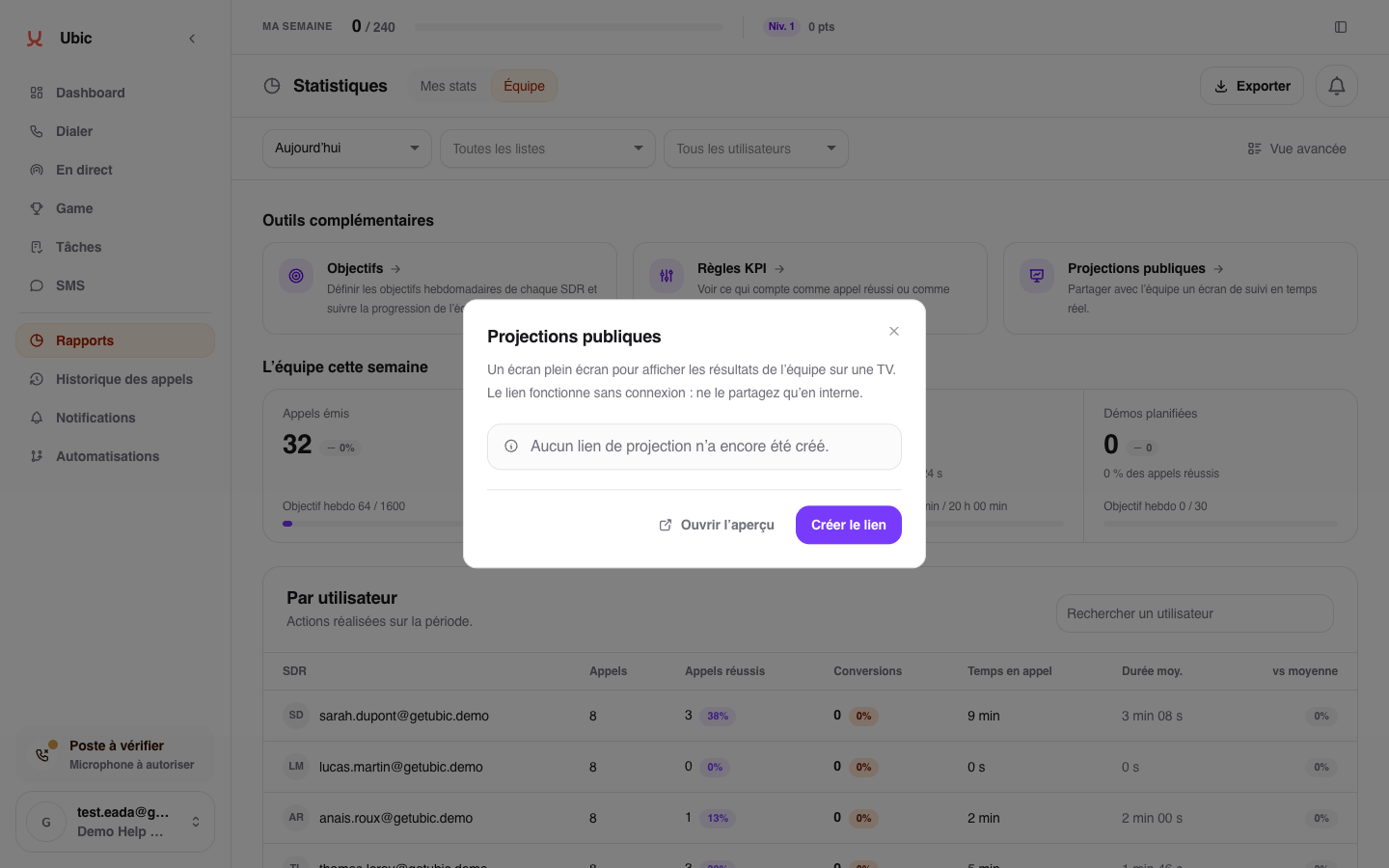
Under Additional tools, choose Public projections.
Click Open preview to check the display.
Create the public link, copy it, then open it on the team's screen.
Choose the Day or Week view.
Outbound calls, inbound calls, successful calls, demos, rankings, and the latest demos update automatically. The success rate compares successful calls with all calls in the selected period. The goal appears only when the workspace has set one. It remains a weekly goal, including in the Day view.
The Day view shows outbound calls by half hour, with the previous working day as a reference and demos marked on the chart. The Week view compares each day with the same day of the previous week. When no demo has been recorded yet, the screen may recap the previous working day.
Each new demo triggers a celebration on the screen. Every tenth demo in the period gets an additional milestone moment. SDRs with the same number of demos share the same rank.
The ranking shows up to five people at a time. When tied SDRs exceed the available places, they rotate every eight seconds; people with higher scores stay visible.
A demo counts on the date the prospect moves into a conversion status. Calling a prospect again without changing their status adds no demo to the total or the ranking. Returning to a conversion status after a non-conversion status counts as another demo, even on the same day.
The demo total uses the same calculation as Reports > Team, for the same period with no user or list filters.
The logo uploaded under Settings > Workspace appears on the projection. If no logo has been uploaded, Ubic uses the company domain as a fallback.
The Live ticker can switch to News flash for at most 10 seconds to celebrate a call milestone, a fast pace, inbound calls, two demos booked close together, a new leader or a team goal. The light-hearted messages use the team’s actual activity.
The Live ticker scrolls from right to left, with its label fixed on the left. During a News flash, the message appears on one or more lines in the expanded band. After 10 seconds, the Live ticker returns. With reduced motion enabled, the flash text stays still.
Flashes are occasional: no more than three per hour, at least ten minutes apart. A new demo celebration takes priority. Opening or reloading the screen does not replay past events.
When there is no news for the ticker to show, it displays a short message that changes every 90 seconds. If no calls or demos have been recorded in the displayed period, the wording follows the time of day in the workspace timezone. If calls have already taken place, the ticker can show their total. Real news takes over as soon as it becomes available.
Some messages offer a conditional estimate of calls by 6 pm, in the workspace’s timezone, based on the day’s average pace. This is an estimate, not a target or a confirmed result.
The link does not require sign-in, and the screen may show prospect or company names, so share it only with the relevant people. Regenerate link invalidates the old one; Revoke ends public access without deleting reports in Ubic.
An Ubic super admin can create an event screen from Public projections > Create an event, or under Admin > Event projections. They select a workspace reserved for the event and an active event offer. The event page provides a public TV URL and two separate QR codes: one opens the screen, and the other opens the offer. The QR shown on the TV opens the offer, and visits are counted against that offer.
The screen shows the selected workspace’s real figures live, with Day and Week views. It may also show SDR, prospect and company names. Prepare the workspace before sharing its URL. Disabling the event ends access to its screen without disabling the offer; if the offer expires or is disabled, the event screen also becomes unavailable.
