Open Settings > Billing, then the AI brief credits card. Team members can view the same balance through AI brief credits in their account menu; only administrators can buy a pack.
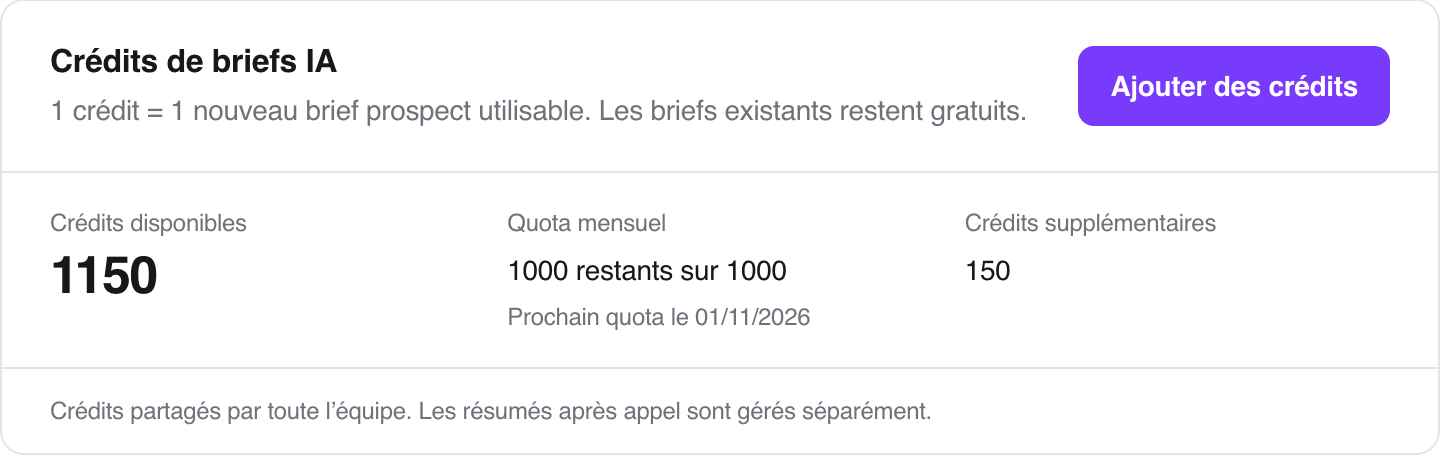
1 credit = 1 new usable prospect brief, including an update to an expired brief. Viewing or reusing an up-to-date brief is free. A failed preparation or one with insufficient sources returns the credit. Transcriptions and post-call summaries do not use these credits.
Under the public plans, each active license provides 200 credits per month with Founder or 500 with Booster. Credits are shared by the whole team: two Founder licenses therefore provide 400 monthly credits.
Some contracts or internal workspaces have different allowances: the card shows your team’s actual allowance and, where applicable, the number of briefs per license per month. If Available credits shows Unlimited, no monthly allowance or top-up pack is offered.
Monthly allowance shows the remaining monthly credits when a limit applies. It renews at the start of each month, at 00:00 UTC, even when your subscription is billed quarterly or yearly. The card displays the next date in your team’s time zone. The first month and licenses added during a month may be prorated. Unused monthly credits do not carry over.
During an active trial, the team receives 20 credits, once per workspace, until the trial ends. Credits for the first paid month are separate.
For a plan with a credit limit and an active subscription, an administrator can buy a pack from this card:
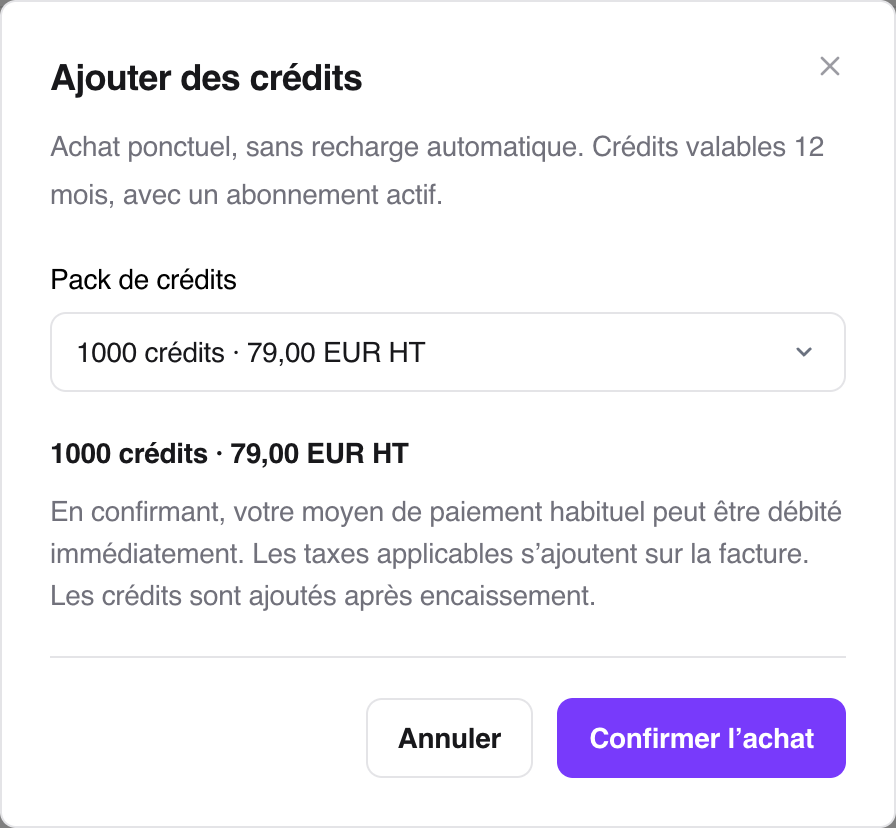
Click Add credits.
Under Credit pack, select the quantity you want.
Check the price and click Confirm purchase.
200 credits: €19 excl. tax.
1,000 credits: €79 excl. tax.
5,000 credits: €349 excl. tax.
Confirmation uses your usual payment method and may trigger a charge. Applicable taxes are added to the invoice. If a payment step is still required, click Complete payment. Credits appear under Additional credits after payment is collected.
Each pack is a one-off purchase, valid for 12 months, with no automatic top-up. Monthly credits are used first, followed by additional credits. Packs are unavailable during the trial.
Your balance is empty: you can keep calling and view existing briefs. Administrators can open Settings > Billing to check the next allowance and available packs. If you are a team member, contact your administrator for additional credits.
The subscription is inactive: no new briefs are prepared, but existing briefs remain available. An administrator should check the status under Settings > Billing. Additional credits that are still valid are frozen until the subscription becomes active again; their validity period continues while they are frozen.
Brief preparation is disabled for this workspace: buying credits does not enable it. Contact Ubic support to check whether briefs are available for your team.
Your purchase is still processing: use Refresh to check its status. If you have been charged without receiving credits, contact support with the invoice; do not start another purchase for the same need.
