
Shared settings
Lead statuses: the business situations offered after a call.
Task types: categories used for reminders and follow-ups.
Conversions: statuses counted as a positive result in reports.
Note templates: prompts offered to sales reps.
Recording and transcription: storage of call audio and text.
AI: suggested notes based on transcripts.
Find the setting you want to change
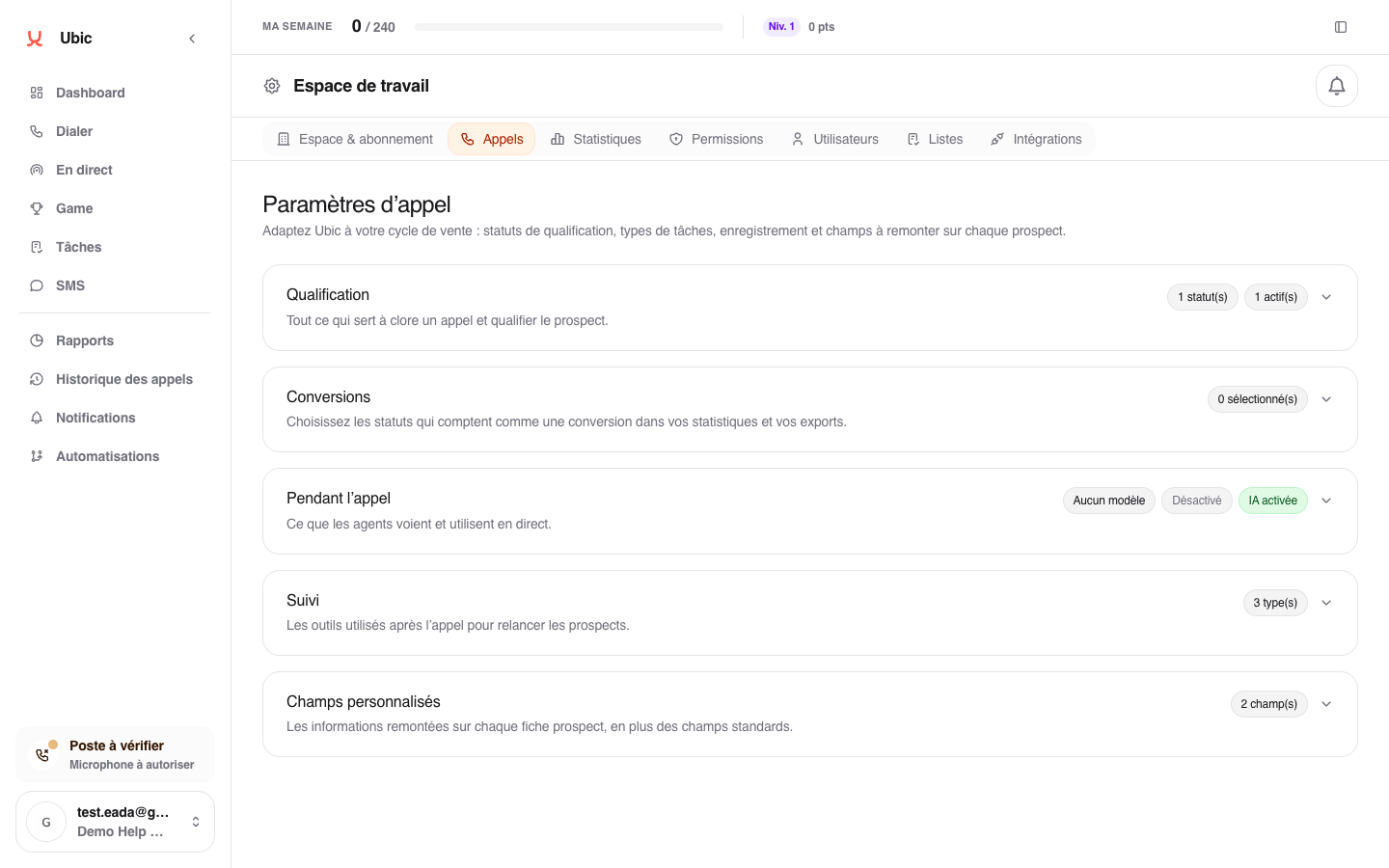
Open Settings > Calls.
Open Qualification to add a lead status, rename its label, or stop offering it to sales reps.
Open Conversions to choose which statuses count as a conversion in reports.
Open During the call to change the note template, recording, transcription, or AI-generated notes.
Open Follow-up to add or rename the task types available for a follow-up.
Open Custom fields to add business information to the lead record.
After making your change, click Save at the top of the page.
Changes apply immediately to future calls. Previous calls keep their history.
To allow an empty date for specific statuses, edit the date field under Custom fields, turn on During the call and Required during the call, then check the relevant statuses under Except with these statuses. For example, a closing status can allow a callback date to be cleared while other statuses still require it. An existing date remains until the sales rep clears it. If you stop offering a status that is already checked, it stays in the list marked inactive: uncheck it to remove it.
Values marked CRM source come from a connected list. You can simplify their label in Ubic, but the value sent to the CRM remains unchanged. Some system statuses, such as Wrong number or Voicemail, are protected.