
Choose which tasks to display
The page shows your own tasks by default. Workspace administrators can switch from My tasks to Team tasks, then select a person in the Assignee filter. Everyone shows tasks assigned across the current workspace.
Use To do, Done, or All to choose which statuses to show. The Type filter and search let you narrow the list.
Each task shows the contact and, when available, their company, list, and phone number. Manually created contacts are labelled Manual contacts. Click the contact’s name to open their profile; use Edit to find the task’s note and due date.
Prioritize and reschedule
Choose Kanban to group tasks into three columns:
Overdue: tasks scheduled before today; start with these.
Today: what you planned to handle today.
Later: upcoming follow-ups.
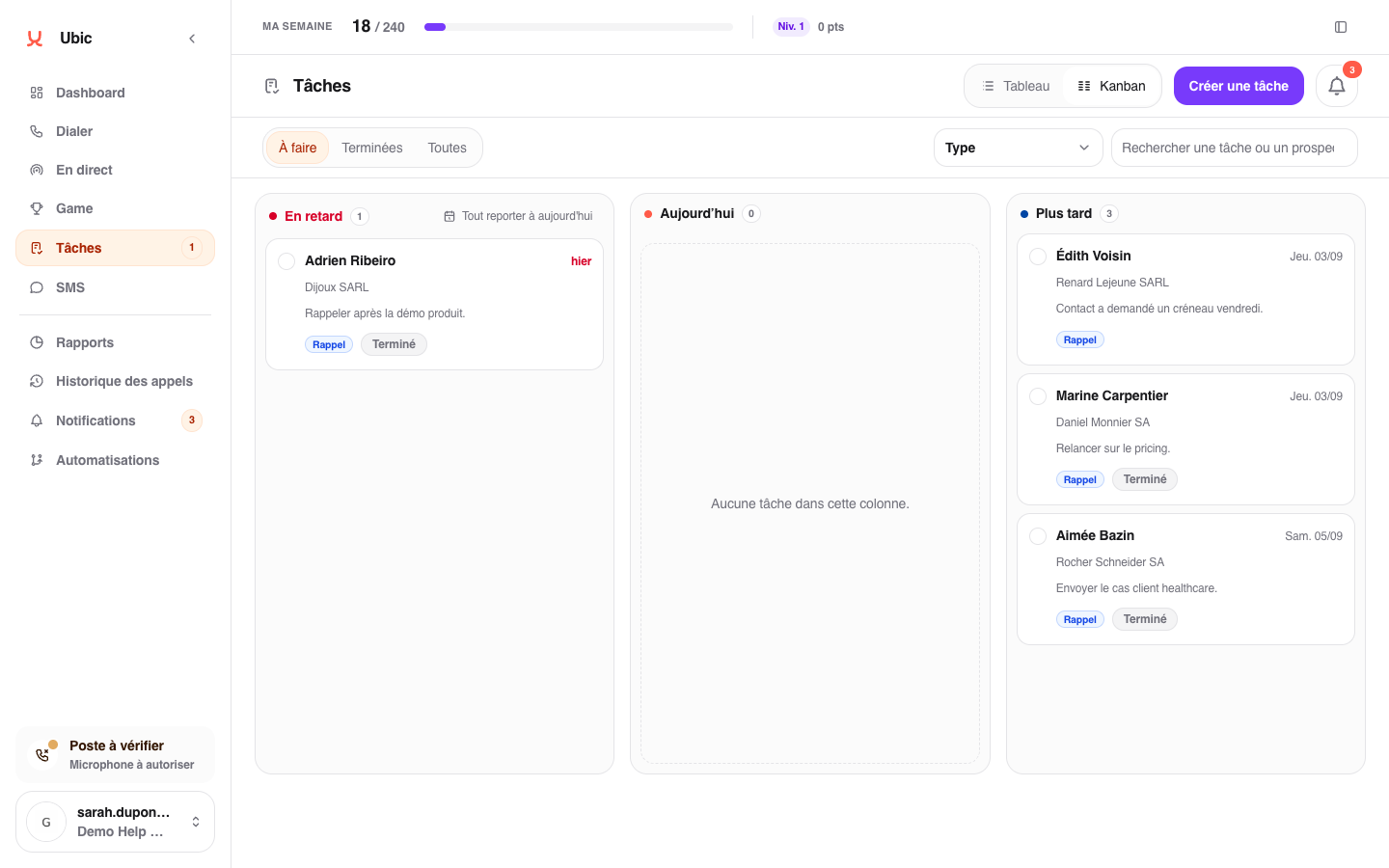
Drag a task to Today to put it back into today’s plan. Moving it to Later lets you choose a new day. The task’s time stays the same.
In the Table view, tasks are grouped by due date and displayed in pages of 40. The counters at the top filter tasks that are overdue, due today, upcoming, or completed in the last seven days.
Find a task that is not showing
Each Kanban column displays up to 50 tasks. When there are more, the counter shows 50+ and Open table view opens the Table. Browse the pages or narrow the search and filters.
In the Table, the Overdue group may be collapsed. Click Show the … other overdue tasks to expand the rows on the current page.
Also check the selected status and, in the team view, the Assignee filter. If Team tasks is not shown, your access is limited to your own tasks: this view is reserved for workspace administrators.