Open Reports.
Under Tools, select Live projection.
Click Open preview to check the display in a new tab.
Choose Day or Week directly on the projection screen.
Figures update automatically. The screen also refreshes them periodically if the live connection is temporarily interrupted.
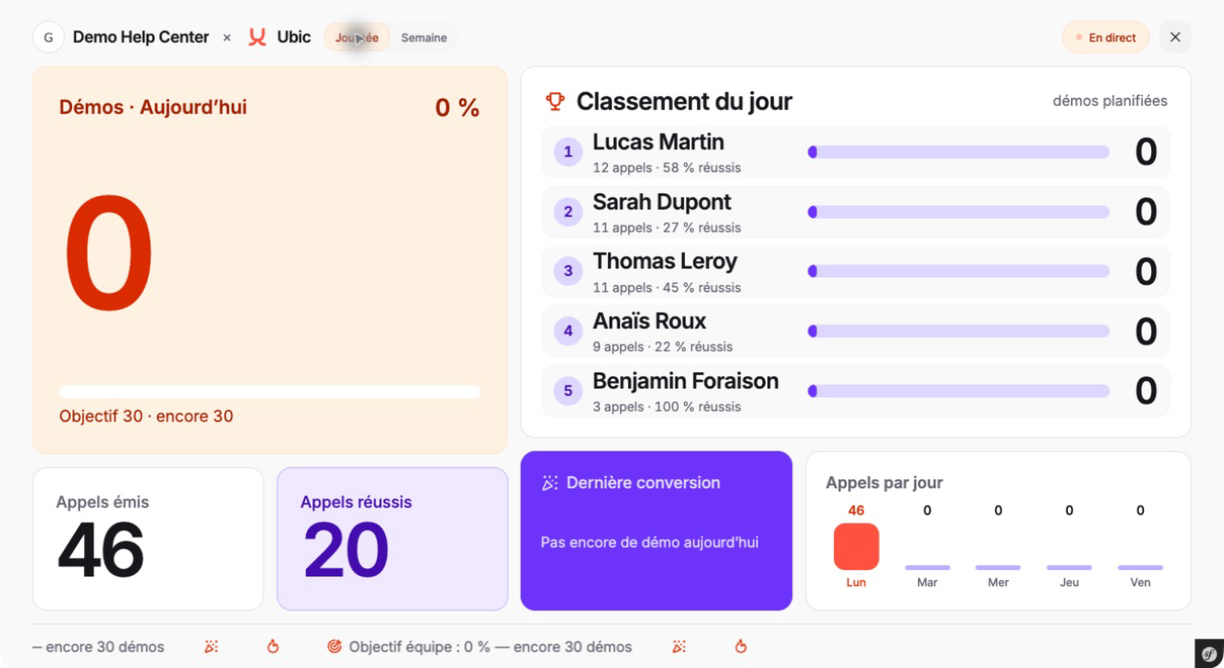
A workspace administrator can create the link from the Live projection window, then copy it and open it on the projection device. The link does not require an Ubic login.
Anyone who has the link can view the displayed statistics. Only share it with the intended audience.
Replace link immediately invalidates the previous link and creates a new one.
Disable link removes public access. The authenticated preview remains available in Ubic.
These actions are restricted to workspace administrators.
The screen uses the conversion rules and goals configured in Ubic. It does not add or modify data: it displays the same source as Reports.
