Only a workspace admin can open Settings and change Game.
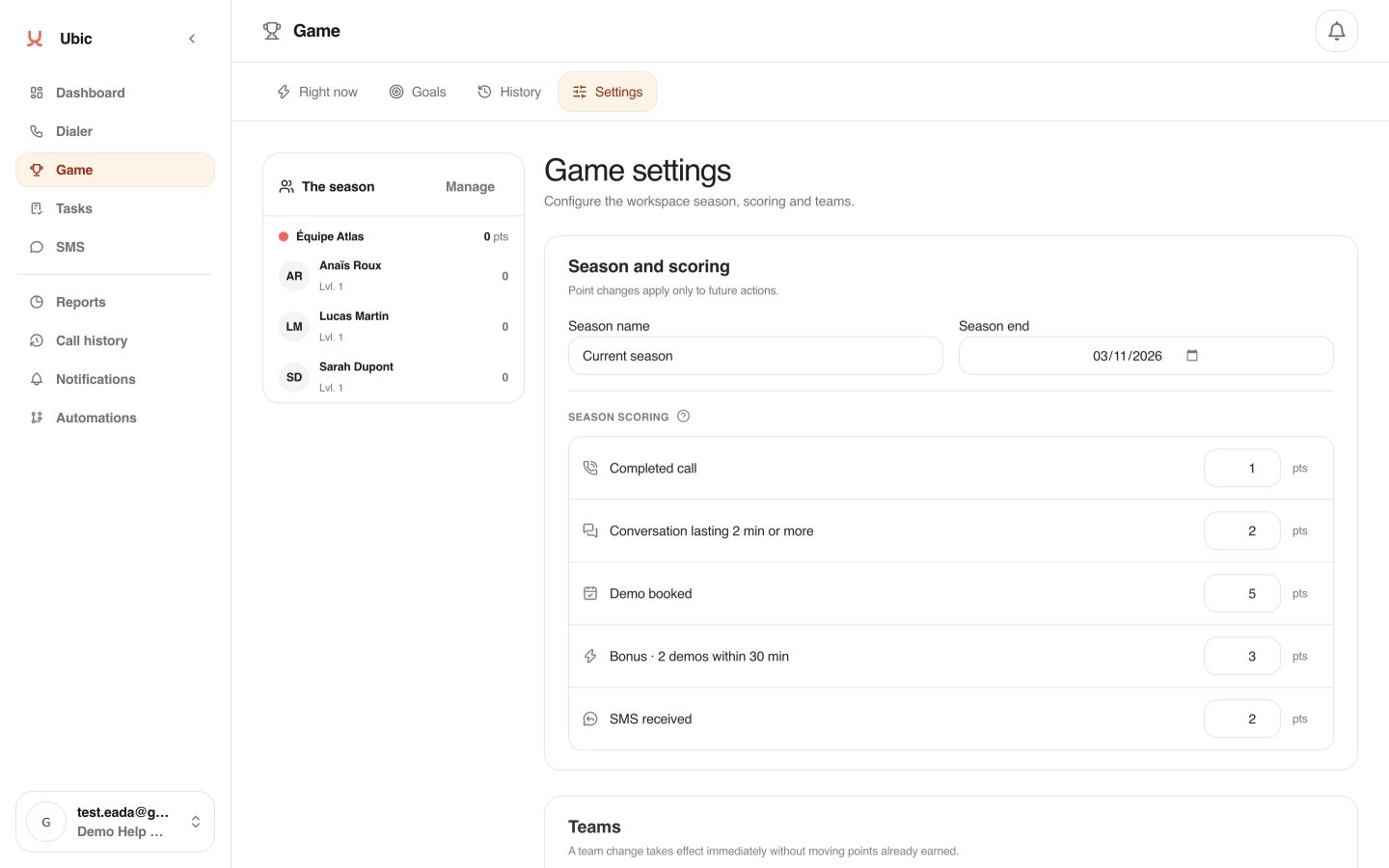
The season provides the frame for the leaderboard. Your level keeps progressing with all points earned, even when a new season starts. Changing scoring applies to future actions without rewriting points already earned.
Teams organize progression in Game. Moving a member to another team does not move points already earned.
Weekly goals remain private: each member sees their own, while detailed performance stays in Reports.
Open Game, then Settings.
In Season and scoring, name the season, choose its end date, and check the value of every scored action.
In Teams, create the useful groups and assign members. Click Save to apply assignments.
Open Goals, then This week or Next week. Select the relevant members and enter their targets.
Return to Right now to start a challenge when the team has a shared goal to reach.
If Settings or the goal-setting buttons are missing, check that you are a workspace admin. If Game is missing, an admin must enable it in Settings > Permissions.
