
A lead's journey
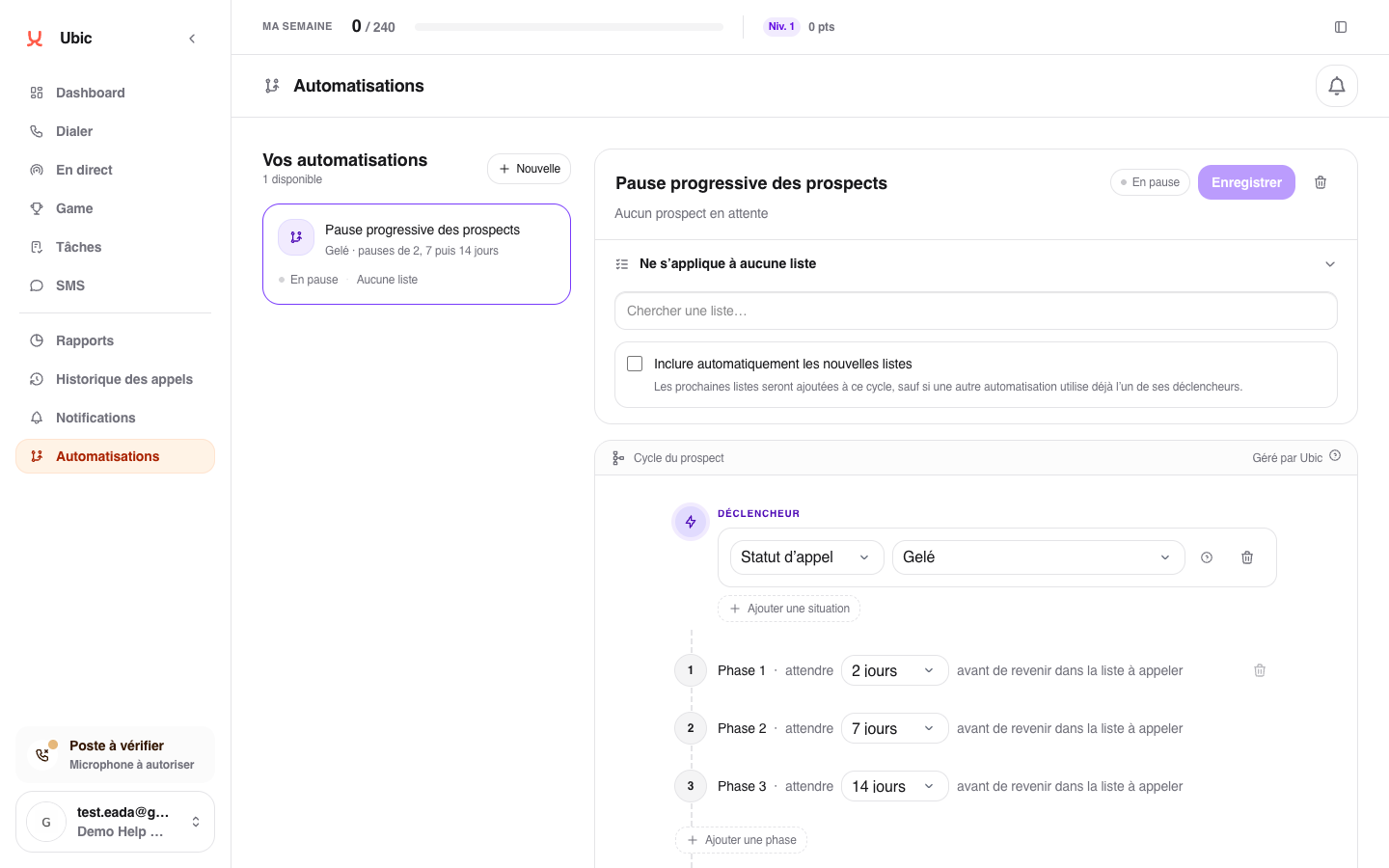
A call does not connect and the lead becomes On hold.
If the lead belongs to an affected list, they enter the automation.
Ubic waits for the duration set in the first phase.
The lead returns to the calling list.
If they are still not reached, they may move to a longer phase.
This automation never starts a call on its own. It only organizes when the lead becomes available to sales reps again.
What the administrator decides
Each automation has a name, applies to selected lists, and contains one or more delays. The administrator also chooses what happens at the end of the journey. Sales reps can view a lead's cycle without changing these rules.
The automation ready on a new account
A new account starts with Default follow-up. A lead that is On hold or qualified Voicemail comes back into the list to call after 2 days, then 7 days, then 14 days. Automatically include new lists is checked, so every list created afterwards joins this cycle. The administrator can change the delays, remove a list or turn the automation off.