
Read your plan details
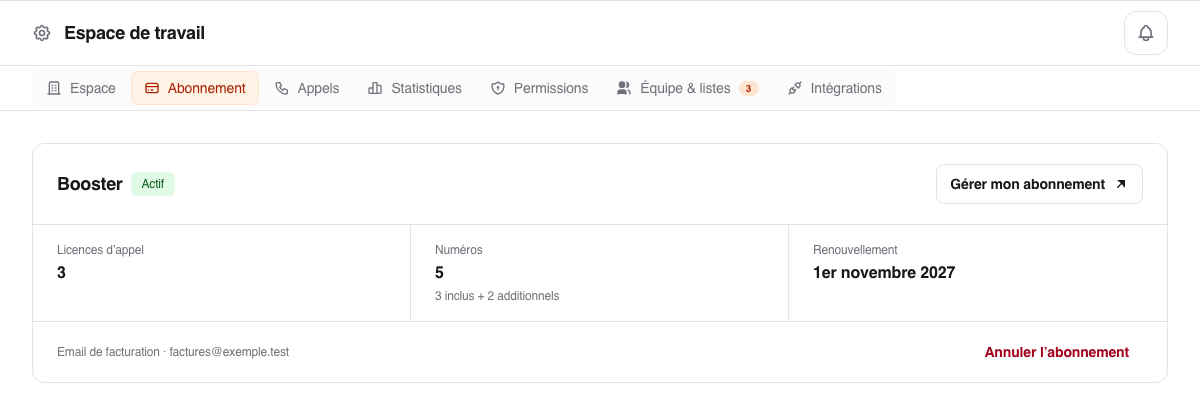
The badge next to the title shows the status: for example a trial with the days left, Active, Cancellation scheduled, or Payment failed.
Plan: Founder or Booster.
Price during the trial: the public price per license per month, excluding VAT, and the billing frequency (monthly, quarterly, or yearly). For a paid subscription, open Manage subscription: Hyperline shows your contract amount.
Calling licenses: the number of licenses. With Founder, you also see how many are already assigned.
Numbers: the included numbers, one per license, and any additional numbers.
Trial ends, Renews on, or Access until: the date of the first payment, the next renewal, or the end of access when a cancellation is scheduled.
Billing email: the address that receives invoices.
The subscription renews automatically with the same frequency and quantities.
Track usage
During a Booster trial, the Usage card shows the trial calls, call time, and SMS already used. With Founder, it shows the remaining credits of each license (calling minutes, transcription minutes, and SMS segments) and the date the period ends.
Prospect briefs have a shared balance, separate from transcriptions and call summaries. During the trial or with an active subscription, the AI briefs card shows your team’s available credits. For renewals or top-ups, read Track and top up AI brief credits.
Find the amount and invoices
Click Manage subscription to open Hyperline. It shows the next amount due, prorated adjustments, and PDF invoices.
A failed payment may suspend access until it is resolved. In that case, click Update card.