Overdue: tasks past their due date. Handle these first to avoid a backlog.
Today: tasks due today in your timezone.
Later: tasks due from tomorrow onward.
Tasks are sorted using their exact due date and your timezone.
Click a task card to view its details.
The linked lead, note, and due date are displayed.
From the details, you can change the due date or mark the task as done.
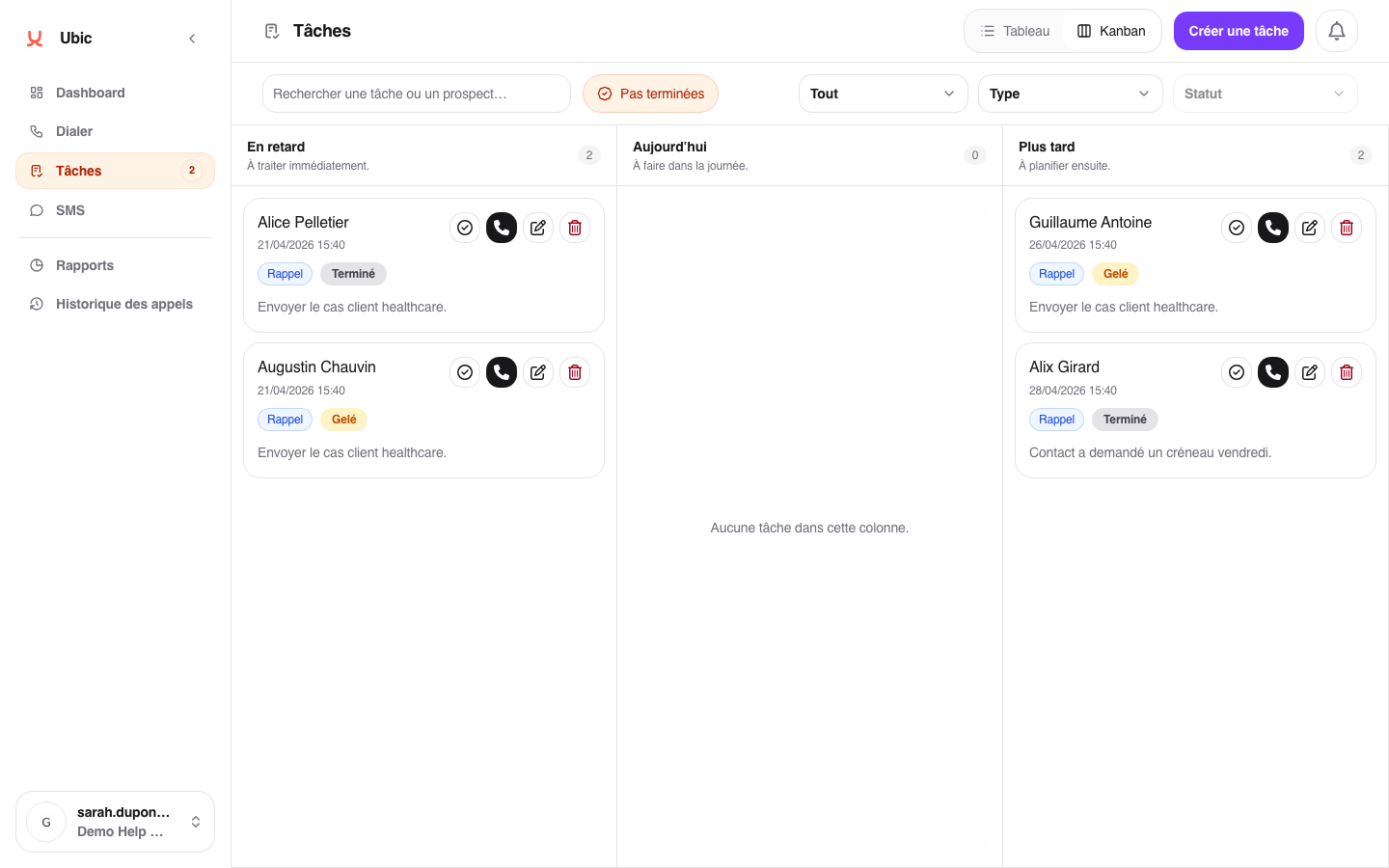
Dragging a task from one column to another reschedules its due date. For example, moving a task from Overdue to Today changes its due date to the current day.
Only open tasks appear in the buckets. Completed tasks disappear from the view as soon as you mark them as done.
Your view only shows tasks assigned to you. Tasks assigned to other team members do not appear here.
