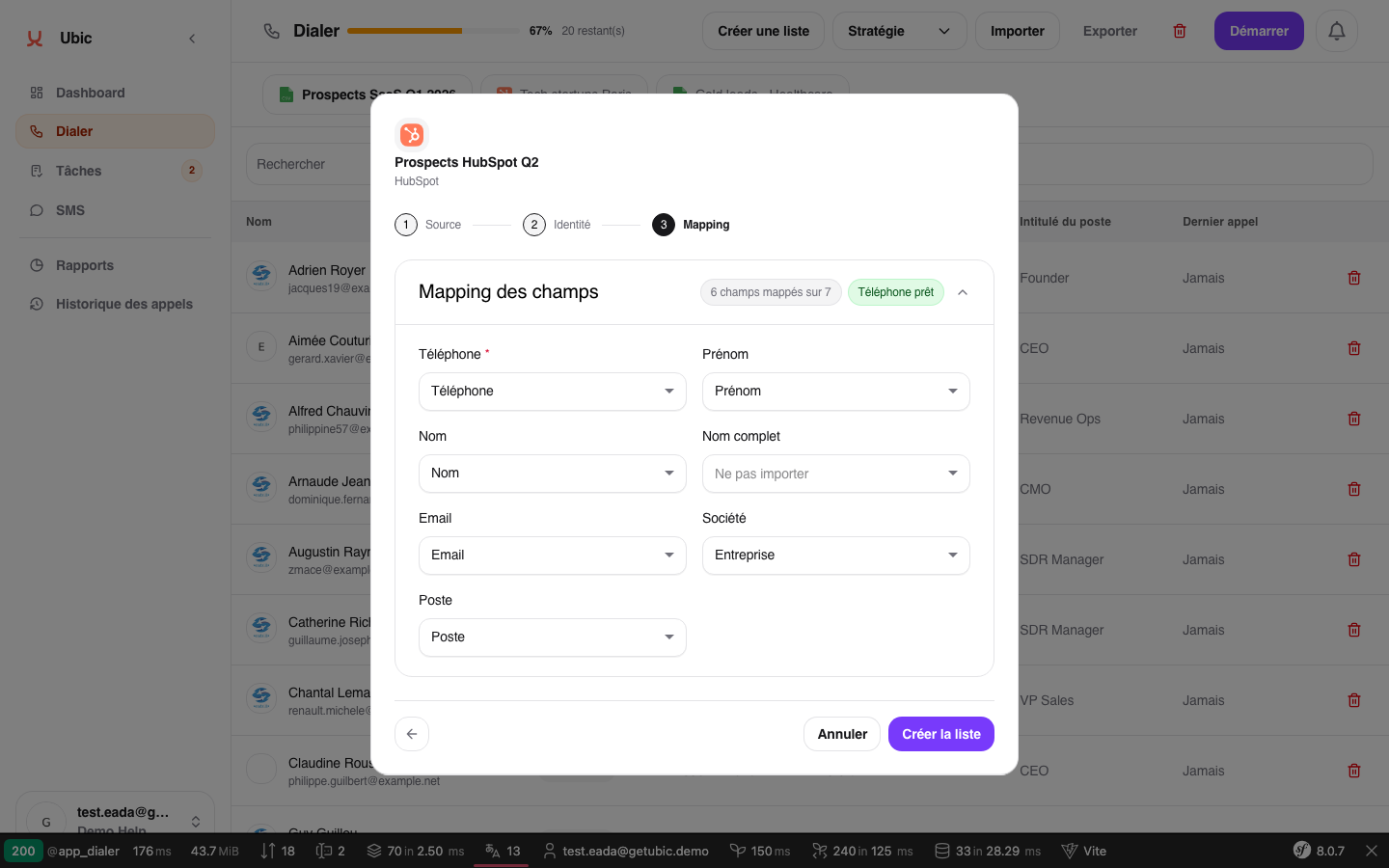
Ubic recognizes these standard fields: Phone (required), First name, Last name, Email, Company, and Job title.
The Phone field is required. All other fields are optional, but they directly affect the quality of the lead profile shown during a call.
On the mapping screen, review each source column.
Select the target Ubic field from the dropdown.
For a column without a standard equivalent, select a custom field or Do not import.
Make sure no standard field is mapped more than once.
Confirm the mapping to complete the import.
To keep business-specific information such as assigned CSM, industry, or estimated budget, use a custom field created by an admin under Settings > Calls.
When creating a field, you can choose whether it appears during calls or in the lead profile.
You can map several columns containing phone numbers to the Phone field. Ubic tries each number in order if the first call is not answered.
A column set to Do not import is ignored. It does not appear in the lead profile or exports.
